Search the radio directory.
Thousands of stations from the open directory radio-browser.info, with country, genre and quality. Tap + to add a station.
Find stations Audialta
For iPhone, iPad, Mac and Apple Watch
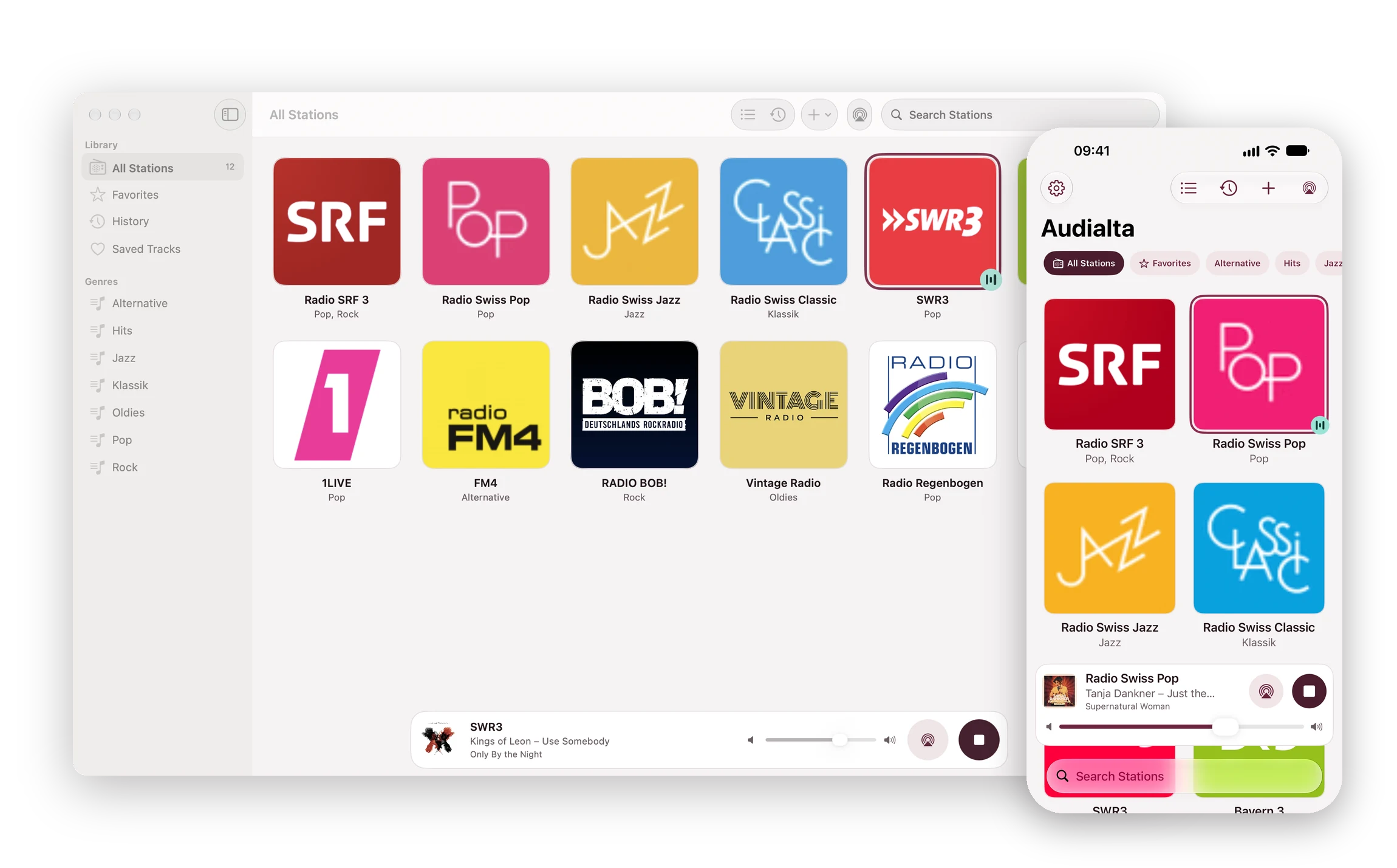
Audialta is internet radio without the detours: your favorite stations are right there as tiles, one tap starts them, and AirPlay 2 sends them to one or more speakers around the house. You also see which track is playing, with cover art and album.
In English, German, French, Italian, Spanish, Dutch and Portuguese. Requires iOS 17, iPadOS 17, macOS 14 or watchOS 10 or later.
Did the world really need another radio app?
No. But it needed another good one.
01 / Your stations
Local radio, stations from abroad or a niche stream nobody else knows: Audialta takes whatever you want to hear and finds the right logo on its own.
Thousands of stations from the open directory radio-browser.info, with country, genre and quality. Tap + to add a station.
Find stationsMP3, AAC, HLS and playlists (.pls, .m3u, .asx). Check Stream tells you before saving whether the station can be played.
Enter a stream URLTake over a whole list from a friend or import an M3U or PLS file. Audialta skips duplicate stations.
Station lists

02 / AirPlay 2
The AirPlay button next to Play sends the radio to a HomePod, Apple TV, AirPlay speaker or your TV. Pick several, and the station plays in the kitchen, living room and bathroom at the same time.
03 / What’s playing?
Audialta reads what the station is playing, looks up the album and cover in Apple’s catalog and keeps every track in the history. The song from this morning is still there in the evening.


04 / Falling asleep
The sleep timer stops the radio after 15, 30, 45, 60 or 90 minutes. In the last 30 seconds Audialta fades out gently instead of cutting off abruptly.
05 / Hands-free
Siri knows your stations without any setup. The phrases work in English, German, French, Italian, Spanish, Dutch and Portuguese. Audialta doesn’t need to be open.

06 / Without opening the app
The widgets show what’s playing and put your favorites on the Home Screen. Tap a logo to start the station without Audialta opening.
07 / On the Mac too
On the Mac, Audialta is a real Mac app with a sidebar: all stations, favorites, history, saved tracks and your genres. The radio icon in the menu bar stays put, even when the window is closed.

08 / On all your devices
Your stations, favorites and their order sync through your own iCloud, across iPhone, iPad and Mac.
iCloud syncAs tiles or as a list, sorted by dragging, with favorites and search. If the search finds nothing, Audialta keeps looking in the radio directory.
Arrange and searchThe whole list, logos included, as a single file – by AirDrop, Mail or the Files app. Whoever opens it takes over your stations with one tap.
Export and share09 / Free and Pro
Audialta is free for up to four stations, with every feature: AirPlay, tracks and cover art, history, sleep timer, widgets and Siri. Audialta Pro removes the limit.
10 / Contact
It helps to include your device, system version, the version shown under Settings › About Audialta and, for problems with a station, its stream URL. Many answers are already under Frequently asked questions. How Audialta handles your data is explained under Privacy.